


Opening an XM account is a straightforward process that takes around 5 to 10 minutes for basic registration. However, knowing which documents to prepare, how to complete the facial recognition step, and which of XM’s four account types suits your trading style will save you time and set you up for success from day one.
This guide walks you through every step of the XM account opening process — from registration to KYC verification — plus a full comparison of all account types so you can make the right choice immediately.
- Eligibility conditions and required documents
- Step-by-step registration walkthrough
- KYC verification including facial recognition
- All 4 account types compared
- Deposit and withdrawal methods
What Is XM? Is It Available in Your Country?
XM is an internationally regulated forex and CFD broker with over 15 years of operating history and more than 10 million clients worldwide. It holds licenses from CySEC (Cyprus), ASIC (Australia), FCA (UK), and IFSC (Belize), and supports trading on MT4 and MT5 across multiple asset classes.
XM is available in most countries worldwide, with multilingual support and localized payment options in many regions.
- XM does not accept US citizens or residents
- Accounts with no activity for 90 days will be charged a $10 monthly inactivity fee until the balance reaches zero
Before You Open an XM Account
Eligibility Requirements
- Be at least 18 years old
- Not be a US citizen or resident
Required Documents (2 Types)
XM requires two types of documents for KYC verification: Proof of Identity (POI) and Proof of Address (POA). XM also requires a facial recognition (selfie) step to confirm that the document matches the account holder — this is a key difference from some other brokers.
Proof of Identity (POI)
- Passport
- National ID card (both sides)
- Driver’s license
Proof of Address (POA)
Must be issued within the last 6 months and clearly show your full name, address, and issue date:
- Utility bill (electricity, water, gas)
- Bank statement
- Credit card statement
- Driver’s license (if address is shown)
In some cases, a national ID card that includes your address can serve as both POI and POA. The address on your documents must match exactly what you entered during registration.
Document Photo Requirements
- All four corners of the document must be clearly visible
- All text must be legible — no blur, glare, or shadow
- Submit both sides if the document has a reverse (e.g. national ID)
- Accepted formats: GIF, JPG, PNG, PDF — maximum 5MB per file
How to Open an XM Account — Step by Step
The full account opening process — from registration to KYC approval — typically takes 10 to 30 minutes.
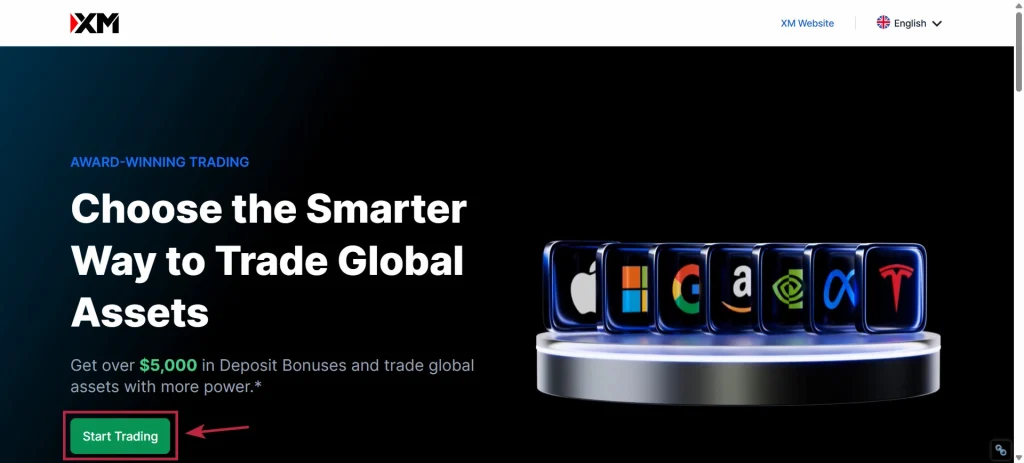
- Visit the XM website and click “Open a Real Account”
- Fill in personal details and account settings
- Complete the investor questionnaire
- Verify your email address
- Upload ID documents and complete facial recognition
- KYC approved — full account access unlocked
Go to the official XM website (xm.com) and click “Open a Real Account.” The system will automatically detect your country of residence based on your IP address.
Enter your full name, phone number, and email address. Then select your preferred trading platform (MT4 or MT5), account type, leverage, base currency, and create a password.
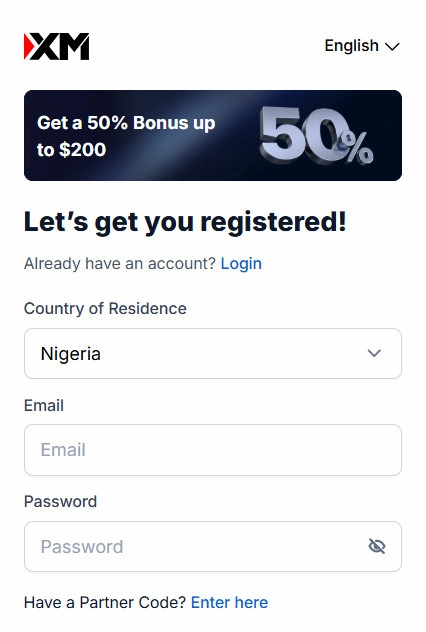
- Enter your name exactly as it appears on your ID document
- Your residential address must be entered in English
- When entering your phone number, select your country code and omit the leading zero
Answer questions about your occupation, annual income, trading purpose, and experience. This is a regulatory requirement and does not affect account approval. Answer honestly.
XM will send a verification link to your registered email. Click the link to activate your account and log in to the Members Area.
If the email doesn’t arrive, check your spam folder. Once verified, you can log in to the Members Area and make deposits.
Log in to the Members Area and click “Start Verification.” Upload your identity document, complete the facial recognition (selfie) step using your device’s front camera, then upload your proof of address.
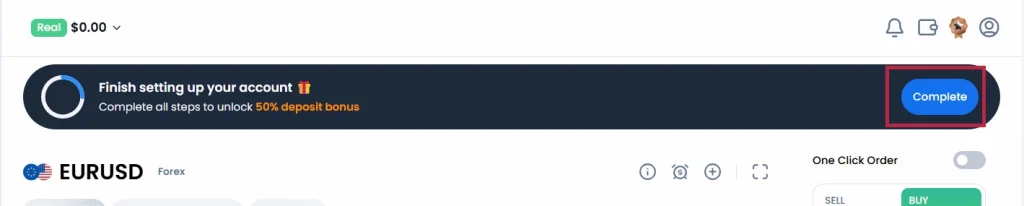
- Perform facial recognition in a well-lit environment for best results
- Submit both sides of your ID if it has a reverse side
- The address on your documents must exactly match what you entered during registration
XM completes document review in as little as 1 hour, and no longer than 1 business day (excluding weekends and public holidays). You will receive an “XM Verification Successful” email once approved.
After approval, a verification badge will appear next to your account name in the Members Area, confirming that full account access is now unlocked.
XM Account Types — All 4 Compared
XM offers 4 main real account types, each with a different spread and commission structure. All have a minimum deposit of just $5.
| Account Type | Min. Deposit | Min. Spread | Commission | Best For |
|---|---|---|---|---|
| Micro | $5 | 1.0 pip | None | Absolute beginners, micro lot trading |
| Standard | $5 | 1.0 pip | None | All-round traders, beginners |
| Ultra Low | $5 | 0.6 pip | None | Experienced traders, best value overall |
| Zero | $5 | 0.0 pip | $3.5/lot (one way) | Professional scalpers |
Micro: Trades in micro lots (1,000 units), where each pip on EUR/USD is worth approximately $0.10. Dramatically reduces dollar risk per trade — ideal for beginners testing real market conditions with minimal capital.
Standard: Trades in standard lots with spreads from 1.0 pip and no commission. XM’s most popular account type and suitable for any trading style.
Ultra Low: Tighter spreads starting from 0.6 pip with zero commission. Available in both Standard and Micro lot sizing. Widely considered the best value account at XM for active traders.
Zero: Spreads from 0.0 pip on major pairs, with a fixed commission of $3.5 per lot per side. Ideal for high-frequency scalpers who prioritize the tightest possible spreads. Available in select regions.
Account types cannot be changed after opening, but you can add additional accounts of any type from the Members Area. XM allows up to 8 trading accounts per user.
Which Account Type Should You Choose?
- Absolute beginner with minimal capital: Micro — lowest pip value, lowest risk per trade
- General beginner: Standard — simple, commission-free, wide instrument access
- Active or experienced trader: Ultra Low — best overall cost-efficiency at XM
- Professional scalper: Zero — tightest spreads, commission-based pricing
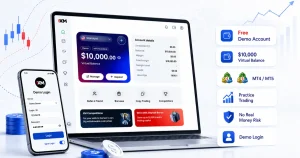
For a full spread and commission breakdown of each type, see XM account types explained. If you want to test account conditions before committing real funds, open an XM demo account — it mirrors Standard and Ultra Low Standard spreads and is completely free.
Deposit and Withdrawal Methods
XM covers all internal deposit and withdrawal fees, so no transaction charges apply from XM’s side. Available methods vary by region and commonly include:
- Credit / Debit Cards: Visa, Mastercard (instant)
- Bank Wire Transfer: typically 1–5 business days
- Cryptocurrency: BTC, USDT, ETH, XRP
XM periodically offers deposit bonuses (e.g. 20% deposit bonus up to $2,000 USD). Profits from bonuses can be withdrawn once a $20 threshold is reached. Always check the XM website for current promotions.
XM Account Opening FAQ