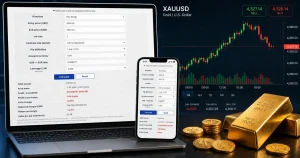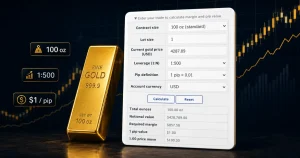




This free XAUUSD lot size calculator answers the pre-trade question that matters most: given my account balance and how much I am willing to lose, how many lots can I trade to my stop-loss? Enter balance, risk %, entry price, and stop-loss — the tool returns the recommended lot size (rounded down for safety), risk amount, margin required, and stop distance in pips.
- Risk amount: how much you are willing to lose on this trade (balance × risk %)
- Recommended lot size: maximum lots that keep loss at or below your risk target — rounded down to 0.01
- Required margin: whether you can actually afford to open the position at your leverage
- Actual risk: the loss if stop is hit at the recommended lot (always ≤ your target)
Deciding lot size before you place the order is the foundation of risk management. Our margin calculator shows the cost of opening; the profit calculator shows the result if price moves. This tool handles the design step — how large a position your risk budget allows.
| Account balance | |
|---|---|
| Account currency | |
| USD → account rate | |
| Risk per trade (%) | |
| Direction | |
| Entry price (USD) | |
| Stop-loss price (USD) |
|
| Contract size (oz/lot) |
|
| Pip definition | |
| Leverage (1:N) |
| Risk amount | |
|---|---|
| Stop-loss distance | |
| Recommended lot size | |
| Position size | |
| Notional value | |
| Required margin | |
| Actual risk at this lot |
Indicative prices and exchange rates are for reference only — not execution prices. This tool does not constitute investment advice. Lot size is rounded down to 0.01; confirm minimum lot and step size with your broker.
For the theory behind gold risk management, see XAUUSD Risk Management. For contract size background, see XAUUSD 1 Lot Price and How to Calculate XAUUSD Pips.
How lot size from risk works
Most traders pick a lot size first and hope the stop fits. That order is backwards. The correct sequence is: balance × risk % → USD risk budget → divide by stop distance → lot size. Personally, I think this single inversion is what separates traders who survive drawdowns from those who blow accounts on one bad week.
The core formula
Risk (USD) = balance × risk% ÷ exchange rate
Lots = risk (USD) ÷ (stop distance × contract size)
Example: $10,000 balance, 1% risk ($100), entry $3,300, stop $3,280 — stop distance $20. rawLots = 100 ÷ (20 × 100) = 0.05 lot. Margin at 1:500 = $33. Actual risk if stopped = $100. Honestly, seeing 0.05 lot instead of a round number is the point — your risk budget, not your gut, sets the size.
Why lots are rounded down
The calculator floors to the nearest 0.01 lot. If raw size is 0.067, you get 0.06 — never 0.07. Compared to rounding up, this keeps actual risk at or below your target. If you are the type of trader who sizes to the nearest whole lot, you are almost certainly risking more than you think on tight stops.
Account currency conversion
Gold P/L is in USD. If your balance is in another currency, the tool converts your risk budget to USD by dividing by the exchange rate (opposite direction from the profit calculator). Enter the rate your broker uses for conversion to get a lot size that matches your real account risk.